> ## Documentation Index
> Fetch the complete documentation index at: https://bunnynet-cb9733c2-database-cli-docs.mintlify.site/llms.txt
> Use this file to discover all available pages before exploring further.
# How to Seamlessly Migrate Your Domain to bunny.net
> Issue SSL certificates via DNS or HTTP validation before pointing your domain to bunny.net, enabling seamless zero-downtime migration.
This feature allows you to issue an SSL certificate for your hostname **before pointing your domain to bunny.net**, avoiding HTTPS disruption during migration.
You can verify domain control using either **DNS (TXT record) validation** or **HTTP (file) validation**, pick whichever you can perform on your current setup. In both cases issuance automatically transitions to **HTTP validation for renewals** once traffic is switched to bunny.net.
In the [bunny.net dashboard](https://dash.bunny.net), select **Add Pull Zone** and configure your origin.
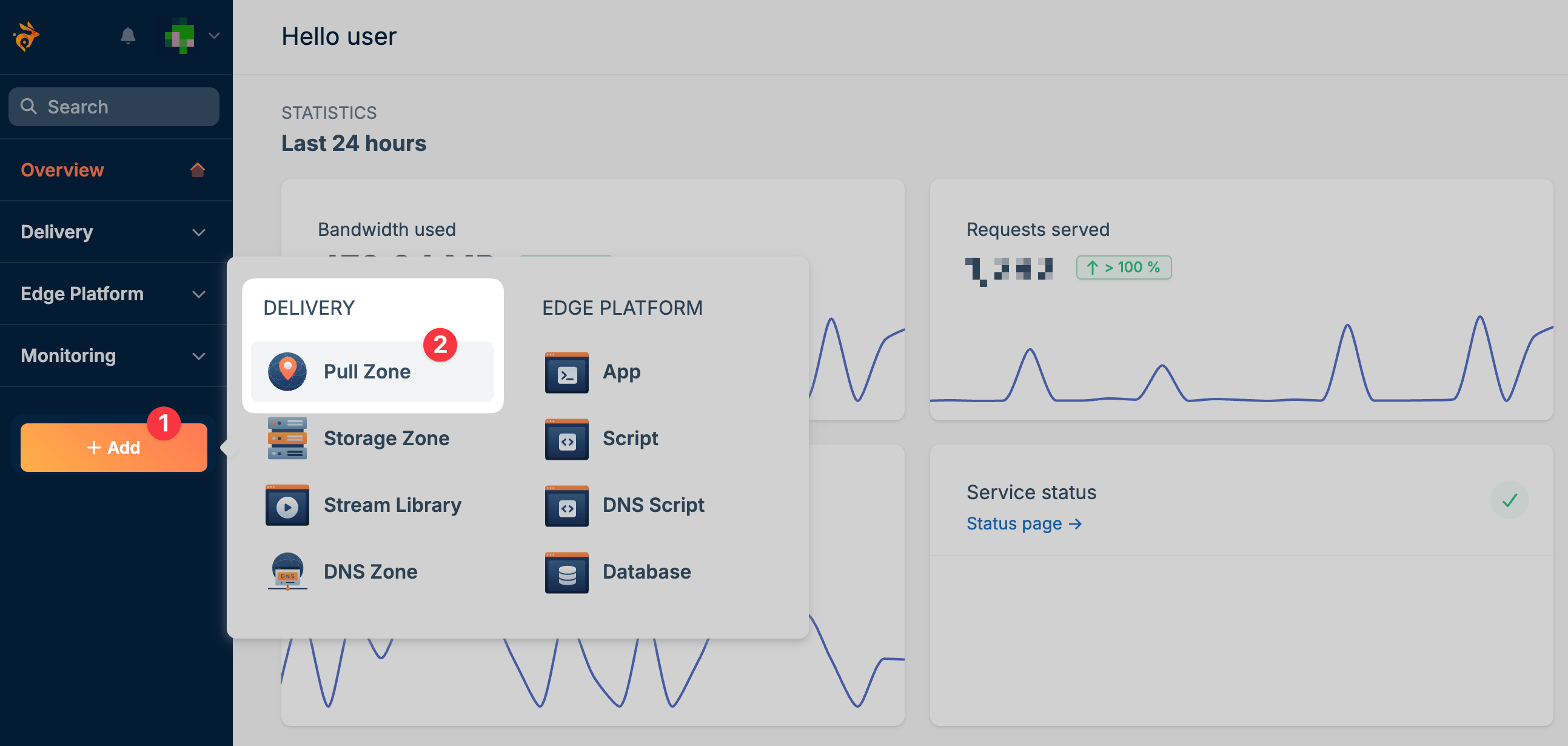 Open your Pull Zone and add your custom hostname (e.g., `cdn.example.com`).
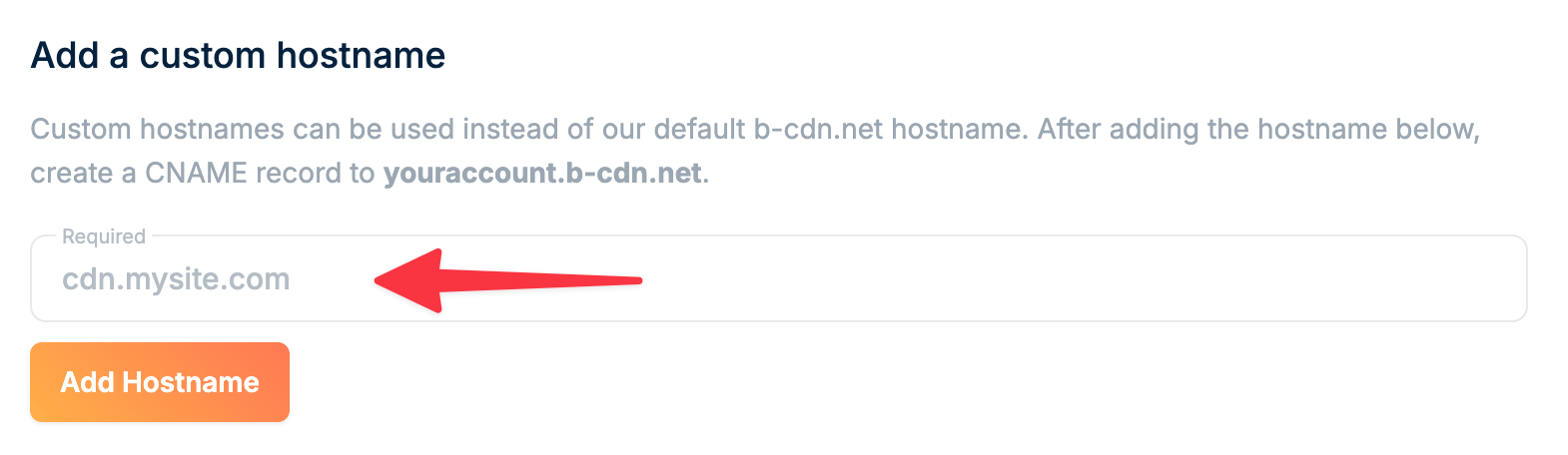 The hostname must be fully configured on the Pull Zone before requesting a certificate.
Prove you control the hostname using **one** of the methods below. Choose **DNS** if you can edit your domain's DNS records, or **HTTP** if you can place a file on the server your domain currently points to. HTTP validation does not support wildcard hostnames, and only one verification (DNS or HTTP) can be pending per hostname at a time.
Initiate certificate issuance using DNS validation:
```bash theme={null}
curl --request POST \
--url https://api.bunny.net/pullzone/{id}/requestExternalDnsCertificate \
--header 'AccessKey: YOUR_API_KEY' \
--header 'Content-Type: application/json' \
--data '
{
"Hostname": "cdn.example.com"
}
'
```
This request returns the DNS TXT record required for domain verification.
View full endpoint documentation
Add the returned TXT record to your domain’s DNS zone.
Example:
```bash theme={null}
_acme-challenge.example.com TXT "verification-token"
```
Wait until the record is publicly resolvable before continuing.
Finalize the process once the TXT record is live:
```bash theme={null}
curl --request POST \
--url https://api.bunny.net/pullzone/{id}/completeExternalDnsCertificate \
--header 'AccessKey: YOUR_API_KEY' \
--header 'Content-Type: application/json' \
--data '
{
"Hostname": "cdn.example.com"
}
'
```
This validates the DNS record and issues the certificate.
View full endpoint documentation
Initiate certificate issuance using HTTP validation:
```bash theme={null}
curl --request POST \
--url https://api.bunny.net/pullzone/{id}/requestExternalHttpCertificate \
--header 'AccessKey: YOUR_API_KEY' \
--header 'Content-Type: application/json' \
--data '
{
"Hostname": "cdn.example.com"
}
'
```
This request returns the challenge file's path and its contents (`FilePath` and `FileContent`).
View full endpoint documentation
On the server your domain **currently** points to, serve the returned `FileContent` at the returned `FilePath` so it is reachable over plain HTTP (port 80):
```text theme={null}
http://cdn.example.com/.well-known/acme-challenge/
```
The response body must exactly match the `FileContent` value from the previous step. Redirects to HTTPS are followed during validation.
Finalize the process once the file is reachable:
```bash theme={null}
curl --request POST \
--url https://api.bunny.net/pullzone/{id}/completeExternalHttpCertificate \
--header 'AccessKey: YOUR_API_KEY' \
--header 'Content-Type: application/json' \
--data '
{
"Hostname": "cdn.example.com"
}
'
```
This fetches the challenge file and issues the certificate.
View full endpoint documentation
After the certificate is issued, update your domain’s DNS records to point to your Pull Zone hostname (e.g., `yourzone.b-cdn.net`).
* Use a **CNAME record** for subdomains (e.g., `cdn.example.com`)
* Use an **ALIAS/ANAME record** if configuring an apex/root domain
HTTPS will be available immediately after traffic is switched.
After the initial issuance:
* Certificates automatically switch to **HTTP-01 validation**
* Renewals happen automatically
* No further DNS changes are required
* For **DNS** validation, the TXT record must be publicly resolvable before completing the request; propagation time depends on your DNS provider
* For **HTTP** validation, the challenge file must be reachable over plain HTTP (port 80) on the server your domain currently points to, and wildcard hostnames are not supported
* Only one verification (DNS or HTTP) can be pending per hostname at a time; starting a new request replaces any previous pending one
* Certificate issuance depends on successful validation by the certificate authority
The hostname must be fully configured on the Pull Zone before requesting a certificate.
Prove you control the hostname using **one** of the methods below. Choose **DNS** if you can edit your domain's DNS records, or **HTTP** if you can place a file on the server your domain currently points to. HTTP validation does not support wildcard hostnames, and only one verification (DNS or HTTP) can be pending per hostname at a time.
Initiate certificate issuance using DNS validation:
```bash theme={null}
curl --request POST \
--url https://api.bunny.net/pullzone/{id}/requestExternalDnsCertificate \
--header 'AccessKey: YOUR_API_KEY' \
--header 'Content-Type: application/json' \
--data '
{
"Hostname": "cdn.example.com"
}
'
```
This request returns the DNS TXT record required for domain verification.
View full endpoint documentation
Add the returned TXT record to your domain’s DNS zone.
Example:
```bash theme={null}
_acme-challenge.example.com TXT "verification-token"
```
Wait until the record is publicly resolvable before continuing.
Finalize the process once the TXT record is live:
```bash theme={null}
curl --request POST \
--url https://api.bunny.net/pullzone/{id}/completeExternalDnsCertificate \
--header 'AccessKey: YOUR_API_KEY' \
--header 'Content-Type: application/json' \
--data '
{
"Hostname": "cdn.example.com"
}
'
```
This validates the DNS record and issues the certificate.
View full endpoint documentation
Initiate certificate issuance using HTTP validation:
```bash theme={null}
curl --request POST \
--url https://api.bunny.net/pullzone/{id}/requestExternalHttpCertificate \
--header 'AccessKey: YOUR_API_KEY' \
--header 'Content-Type: application/json' \
--data '
{
"Hostname": "cdn.example.com"
}
'
```
This request returns the challenge file's path and its contents (`FilePath` and `FileContent`).
View full endpoint documentation
On the server your domain **currently** points to, serve the returned `FileContent` at the returned `FilePath` so it is reachable over plain HTTP (port 80):
```text theme={null}
http://cdn.example.com/.well-known/acme-challenge/
```
The response body must exactly match the `FileContent` value from the previous step. Redirects to HTTPS are followed during validation.
Finalize the process once the file is reachable:
```bash theme={null}
curl --request POST \
--url https://api.bunny.net/pullzone/{id}/completeExternalHttpCertificate \
--header 'AccessKey: YOUR_API_KEY' \
--header 'Content-Type: application/json' \
--data '
{
"Hostname": "cdn.example.com"
}
'
```
This fetches the challenge file and issues the certificate.
View full endpoint documentation
After the certificate is issued, update your domain’s DNS records to point to your Pull Zone hostname (e.g., `yourzone.b-cdn.net`).
* Use a **CNAME record** for subdomains (e.g., `cdn.example.com`)
* Use an **ALIAS/ANAME record** if configuring an apex/root domain
HTTPS will be available immediately after traffic is switched.
After the initial issuance:
* Certificates automatically switch to **HTTP-01 validation**
* Renewals happen automatically
* No further DNS changes are required
* For **DNS** validation, the TXT record must be publicly resolvable before completing the request; propagation time depends on your DNS provider
* For **HTTP** validation, the challenge file must be reachable over plain HTTP (port 80) on the server your domain currently points to, and wildcard hostnames are not supported
* Only one verification (DNS or HTTP) can be pending per hostname at a time; starting a new request replaces any previous pending one
* Certificate issuance depends on successful validation by the certificate authority